Download "Ultimate Editor Enhancer" for FREE. This package is provided for learning purposes or testing before purchase. NOT FOR COMMERCIAL USE.
Details
File size: 11.0 MB
Latest version: 4.2
Latest release date: Jan 19, 2025
Original Unity version: 2021.3.38 or higher
Description
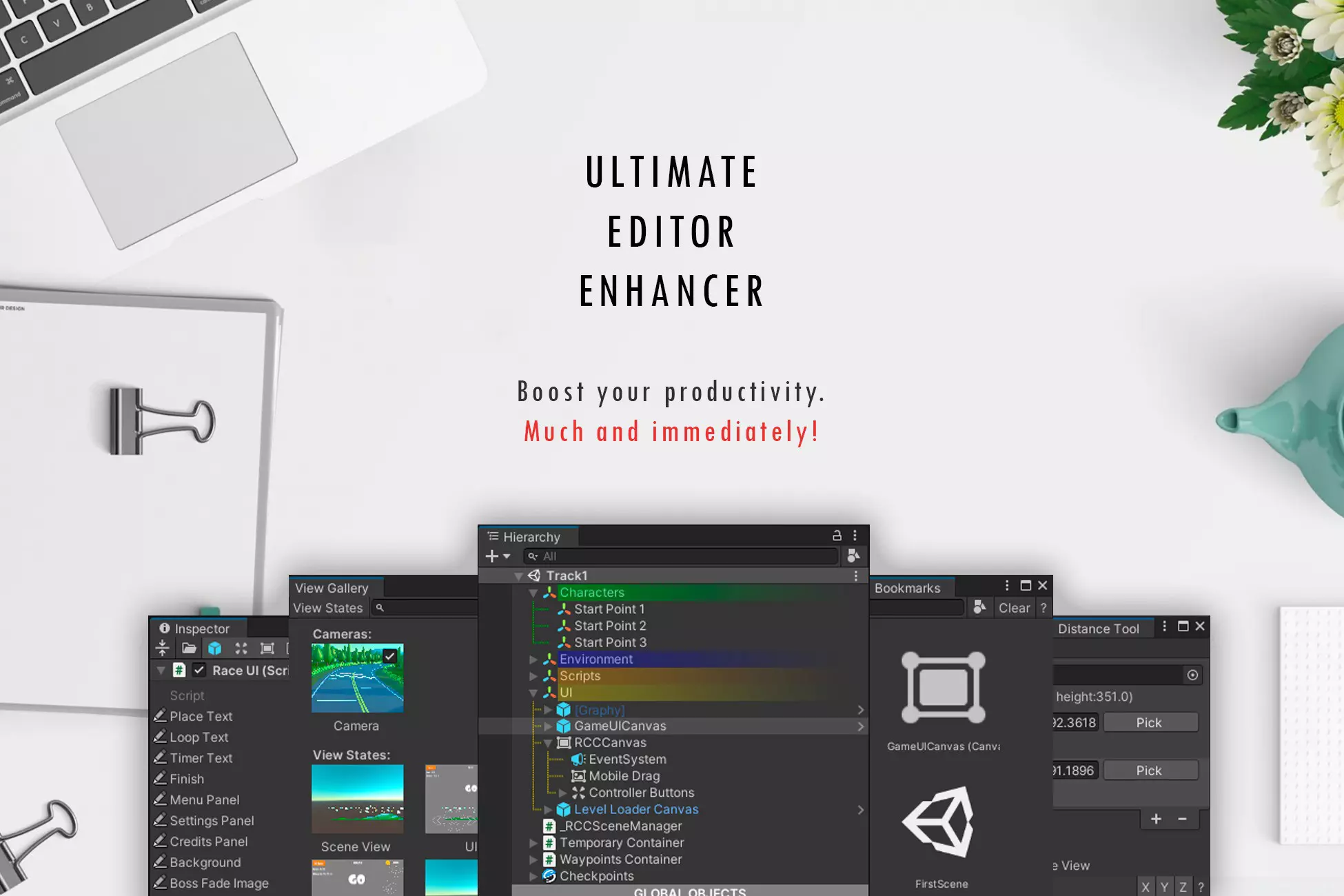
Take your productivity in Unity Editor to the next level with Ultimate Editor Enhancer - the ultimate productivity toolkit! This powerful tool simplifies your workflow, improves the built-in behaviors of the editor, and adds new features that will take your editing experience to the next level.
Key Features:
- Extremely easy to use, even for beginners.
- Suitable for everyone, regardless of role or project stage.
- Huge number of tools: Over 100 useful tools for everyone in one asset.
- Seamless integration into the editor workflow.
- Excellent performance with minimal impact on editor speed.
- Fully customizable: Adjust or disable features to fit your workflow.
- Superbly documented with full documentation and an illustrated Getting Started guide.
Links:
List of Tools
Standalone Tools: Autosave, Bookmarks, Context Menu, Distance Tool, Editor Icon Browser, Scene Backups, Smart Search, Toolbar.
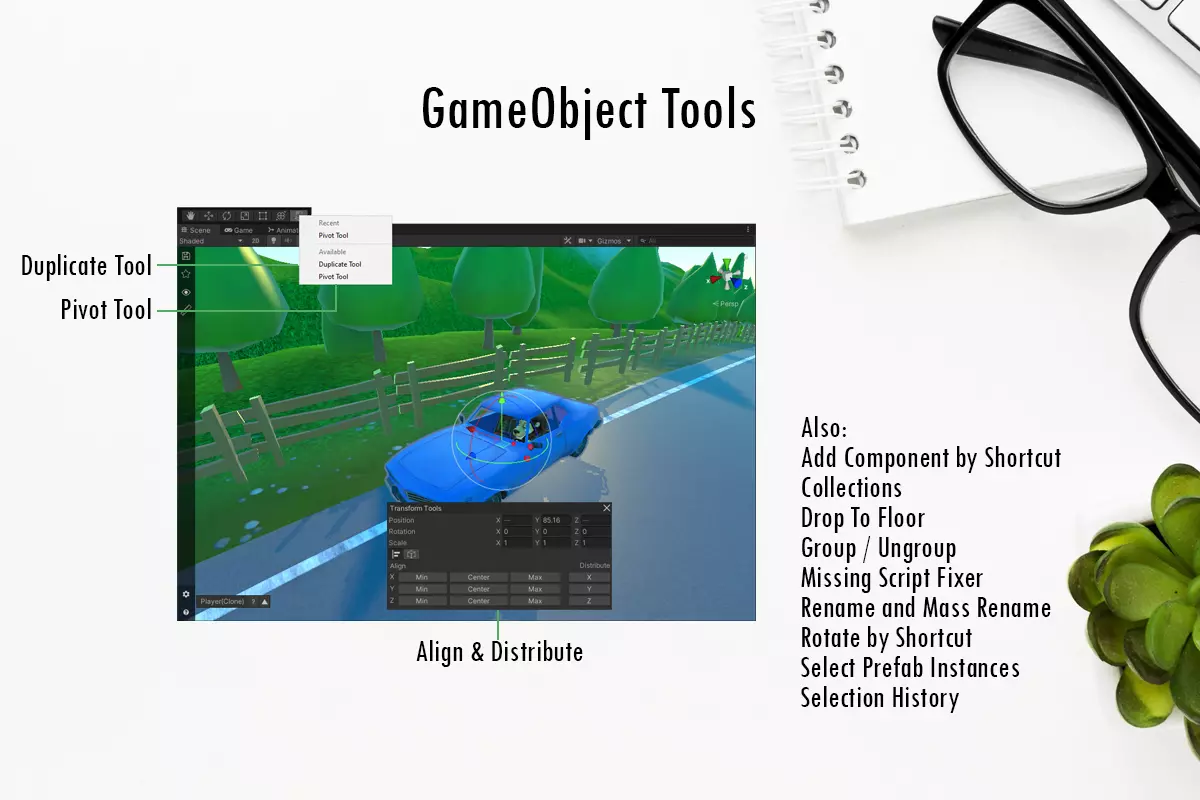
GameObject Tools: Add Component by Shortcut, Create GameObject By Drop Script, Collections, Custom Pivot Rotation Tool, Drop To Floor, Duplicate Tool, Group / Ungroup, Missing Script Fixer, Rename + Mass Rename, Move Light Target, Pivot Tool, Rotate by Shortcut, Replace, Select Prefab Instances, Selection History.
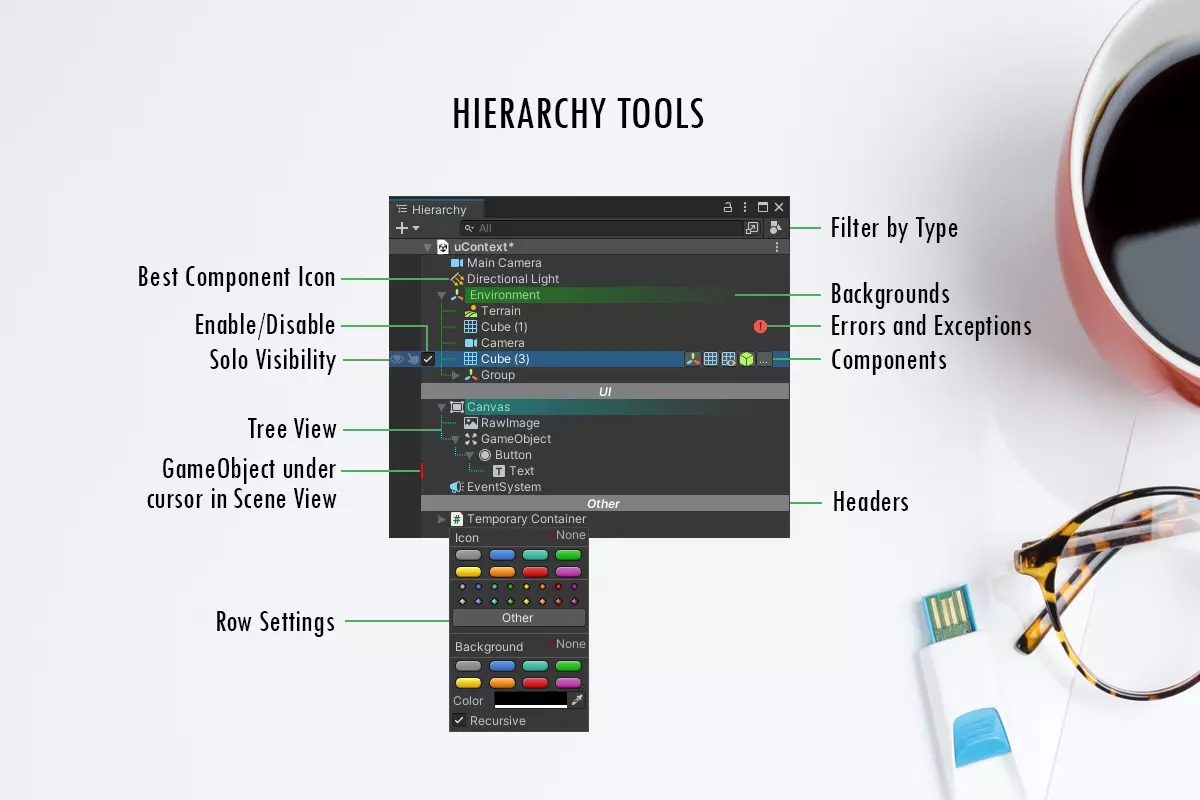
Hierarchy Tools: Backgrounds, Best Icons, Display Errors and Exceptions, Enable/Disable GameObject, Filter by Type, Headers, Highlighter, Odd-Even, Solo Pickability, Solo Visibility, Sort Child GameObjects, Tree.
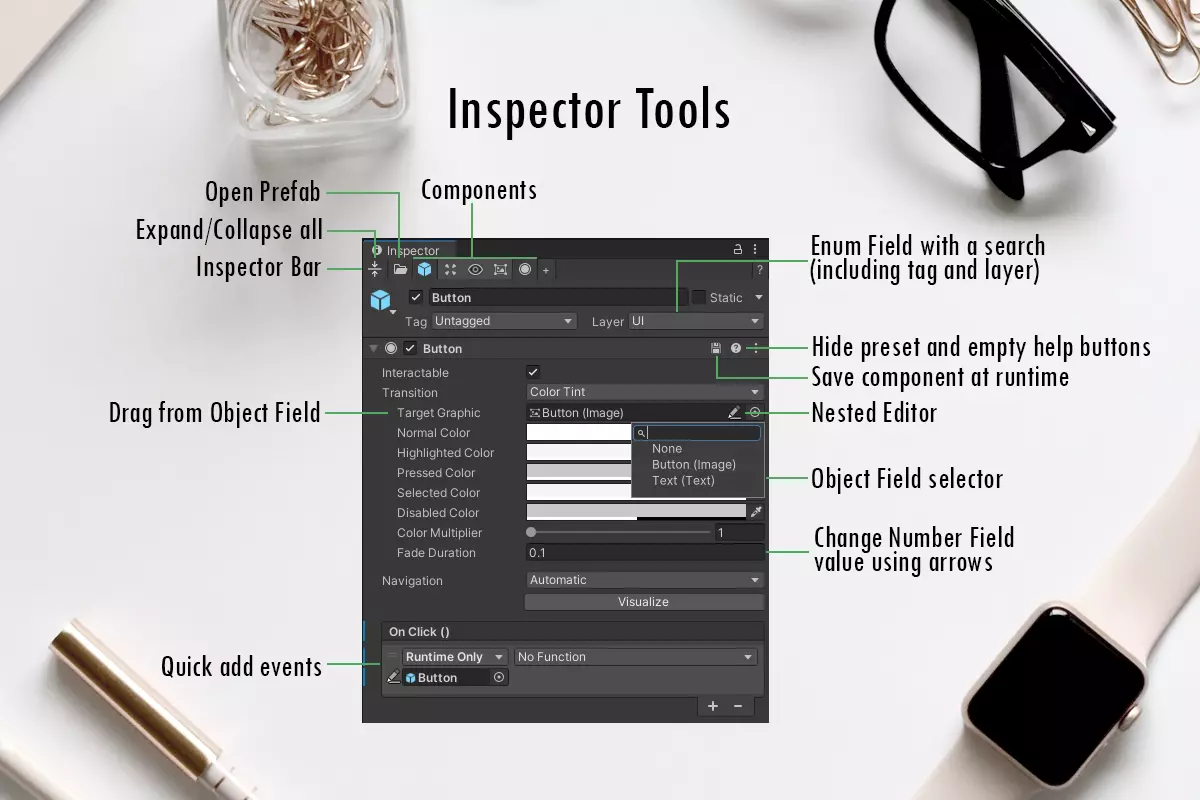
Inspector Tools: Align & Distribute in Transform, Camera Align With, Component To JSON, Detect Bounds of Box Collider, Drag from Object Fields, Empty Inspector, Hide Empty Help Button, Hide Preset Button, Inspector Bar, Long Text Fields, Move Above / Below, Nested Editor, Notes, Quick Add Events, Object Field Selector, Play Clips in Animator, Saving Component at Runtime, Search By Serialized Fields, Transform in World Space.
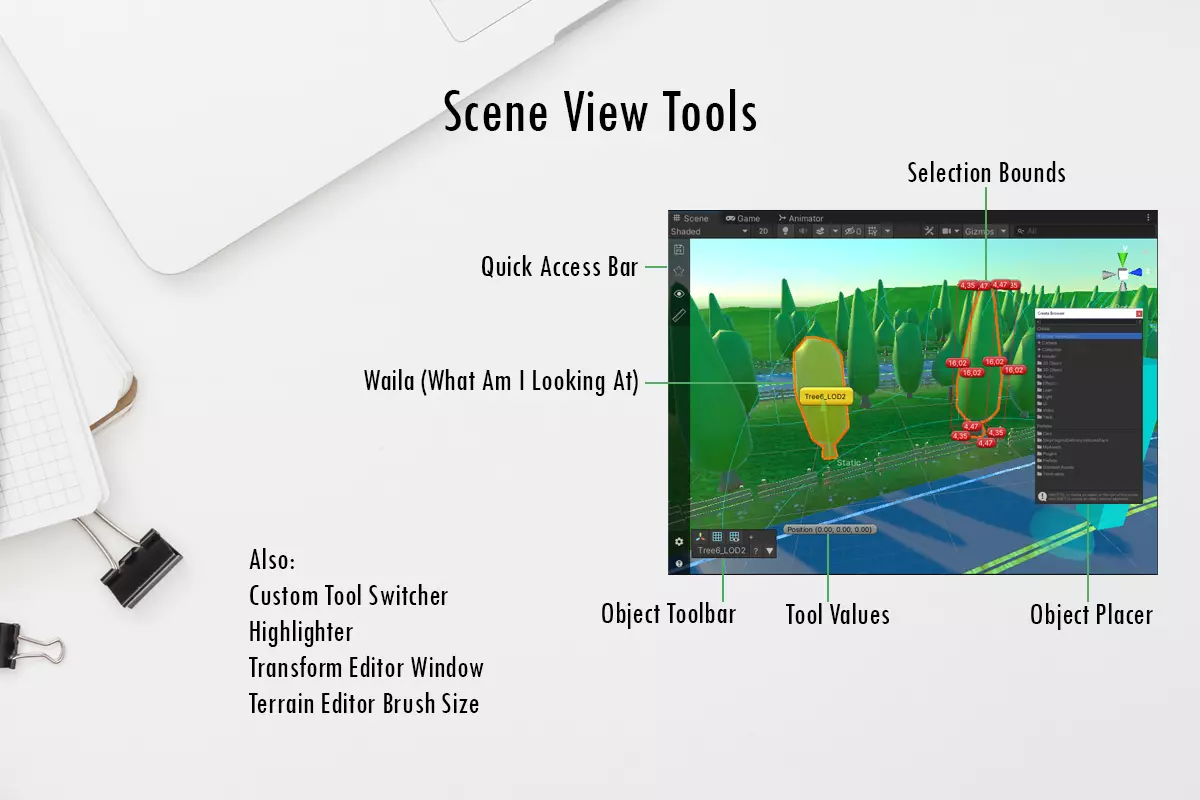
Scene View Tools: Custom Tool Switcher, Highlighter, Move To Point, Object Placer, Object Toolbar, Quick Access Bar, Selection Bounds, Select As One, Tool Values, Terrain Editor Brush Size, WAILA + Smart Selection.
Project Tools: Create Custom Editor For MonoBehaviour, Create Folder Button, Create Folder by Shortcut, Create Material Button, Create Material From Shader, Create Material From Texture, Create Script Button, Create Shader Button, File Extensions, Folder Icons, Odd-Even, Play AudioClips.
Runtime Tools: Stepper, TimeScale Manager.
Windows Tools: Favorite Windows, Maximize Active Window, Mini Layouts, Recent Windows, Switcher.
System Requirements
- Unity version 2021.3.38 or higher.
- Note: Some features are not available on Apple M-series processors.
Technical Details
- Over 100 tools designed to enhance Unity Editor workflows.
- Optimized for performance with minimal impact on editor speed.
- Fully customizable and documented for ease of use.
- Built-in update system for seamless updates.
Warranty
After purchase, you have two weeks to test the asset. If it doesn't meet your needs, has issues, or you simply don't like it, contact support for a refund.
Other Infinity Code Assets
- Huge Texture: Import and use textures larger than 8192x8192px.
- Mesh to Terrain: Convert 3D terrain models to Unity Terrains.
- Online Maps: Universal mapping solution for 2D, 3D, AR/VR, and mobile applications.
- Real World Terrain: Automatically create high-quality terrains based on real-world data.
- Smart Gallery: Display image, video, and audio galleries elegantly.
- Tiny Terrain: Compress Unity Terrain Data to reduce project size.
- Value Observer: Editor-friendly implementation of the Observer pattern.
❤️ If you enjoy this asset, consider leaving a review to support the creator. Thank you! ❤️
Download
💖 Donate, Buy Membership, or Exchange Assets 💖